
01
Stage the scene
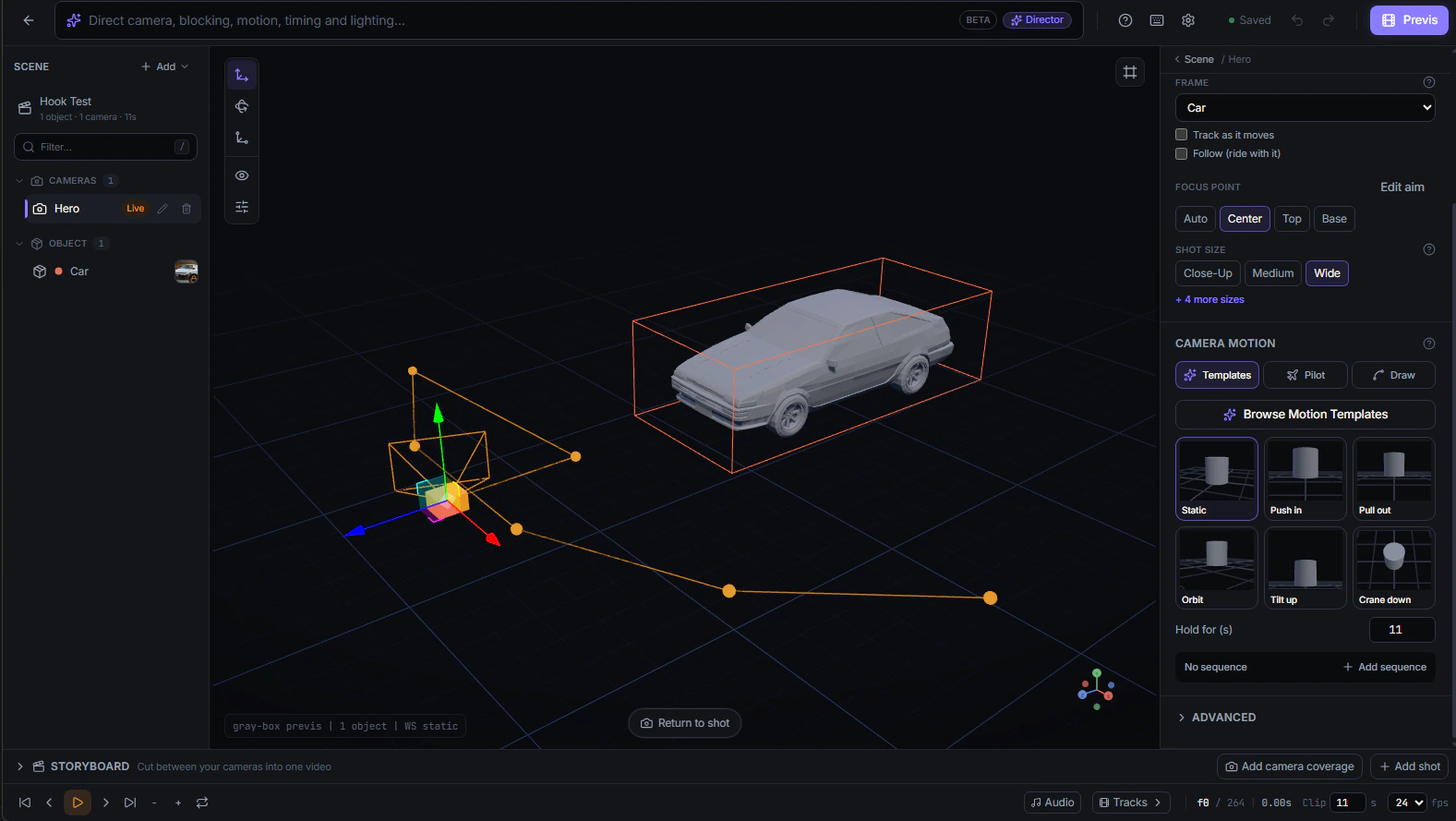
Choose a starting point and arrange the product, characters, environment, and camera.
Visual pre-production for AI video
Stage the scene, set the camera, and review every shot in 3D. Generate only when the vision is right.
How Pretzel works
Build one controlled scene, review it in previs, then generate when the vision is right.
Choose a starting point and arrange the product, characters, environment, and camera.
Press play to check the framing, action, and timing before generation.
Render the approved scene in the formats and variations your project needs.
Previs to final
The previs sets the camera, composition, and action. The final video adds detail without losing the original direction.
Community clips shared on X by @reidhannaford
Independent community work, not made with Pretzel. It shows the approach Pretzel is built around: block the scene first, then let generation add the detail.
Direct with AI
Connect an AI agent to stage assets, block action, and prepare renders. Every change remains visible, editable, and under your control.
The agent handles setup. You remain the director.
Connect an AI agentWorks with Claude Code, Claude Desktop, and other MCP clients.
Brief
“Create a dynamic camera sequence with high-energy whip pans and orbits.”
Render plan ready for review
Editable scene · No render dispatched
Start free in your browser. No credit card or 3D experience required.
Start directing